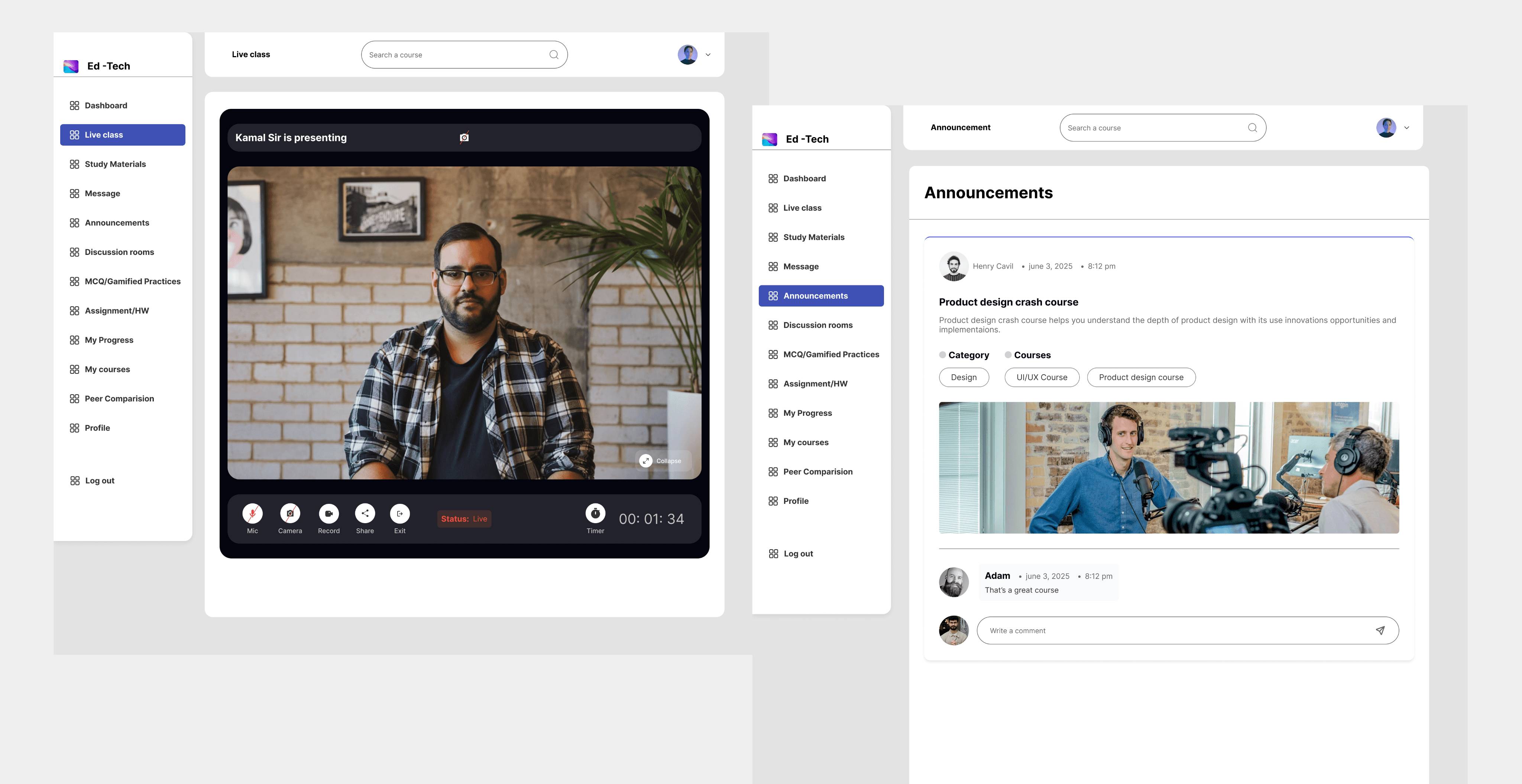
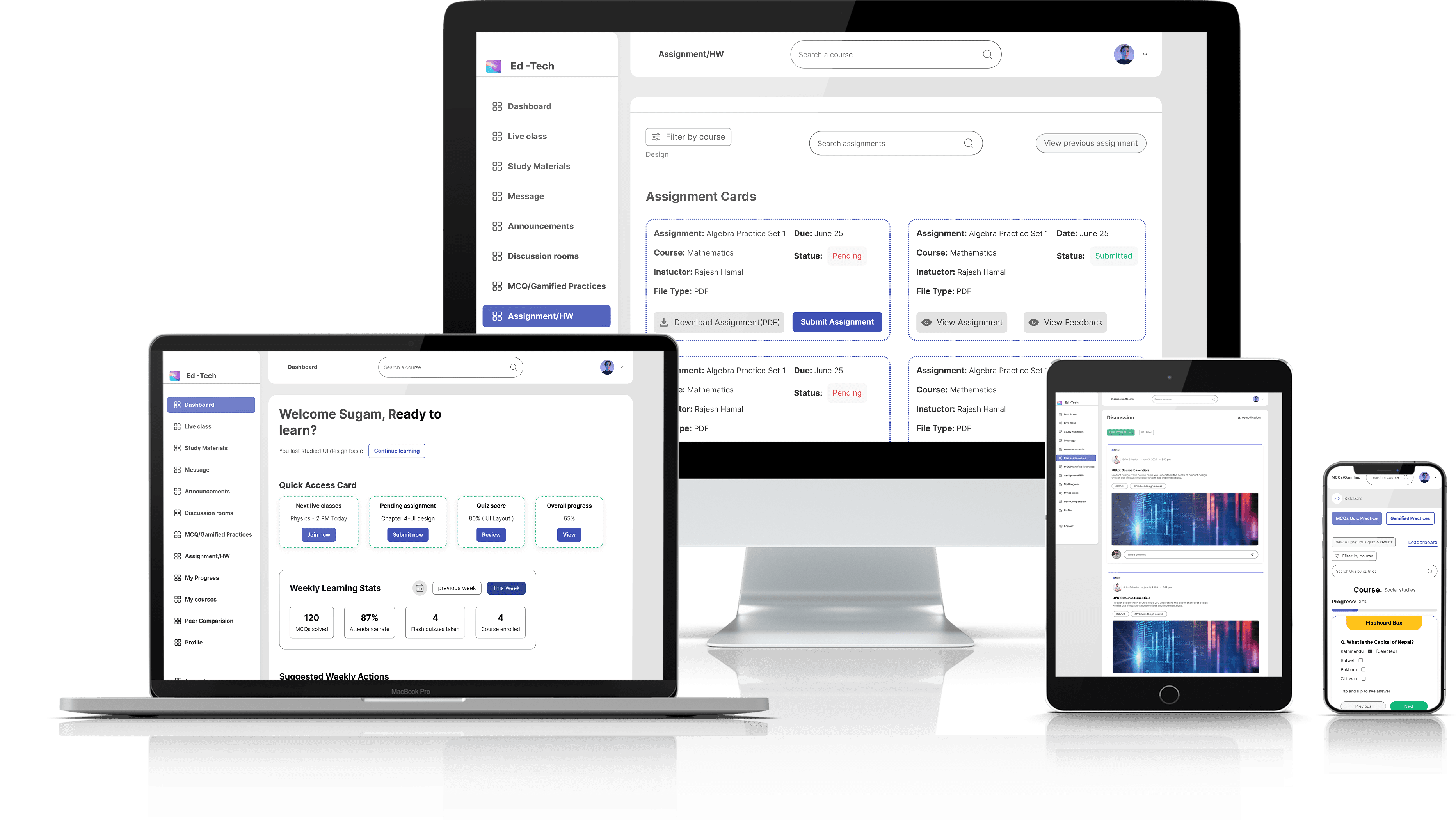
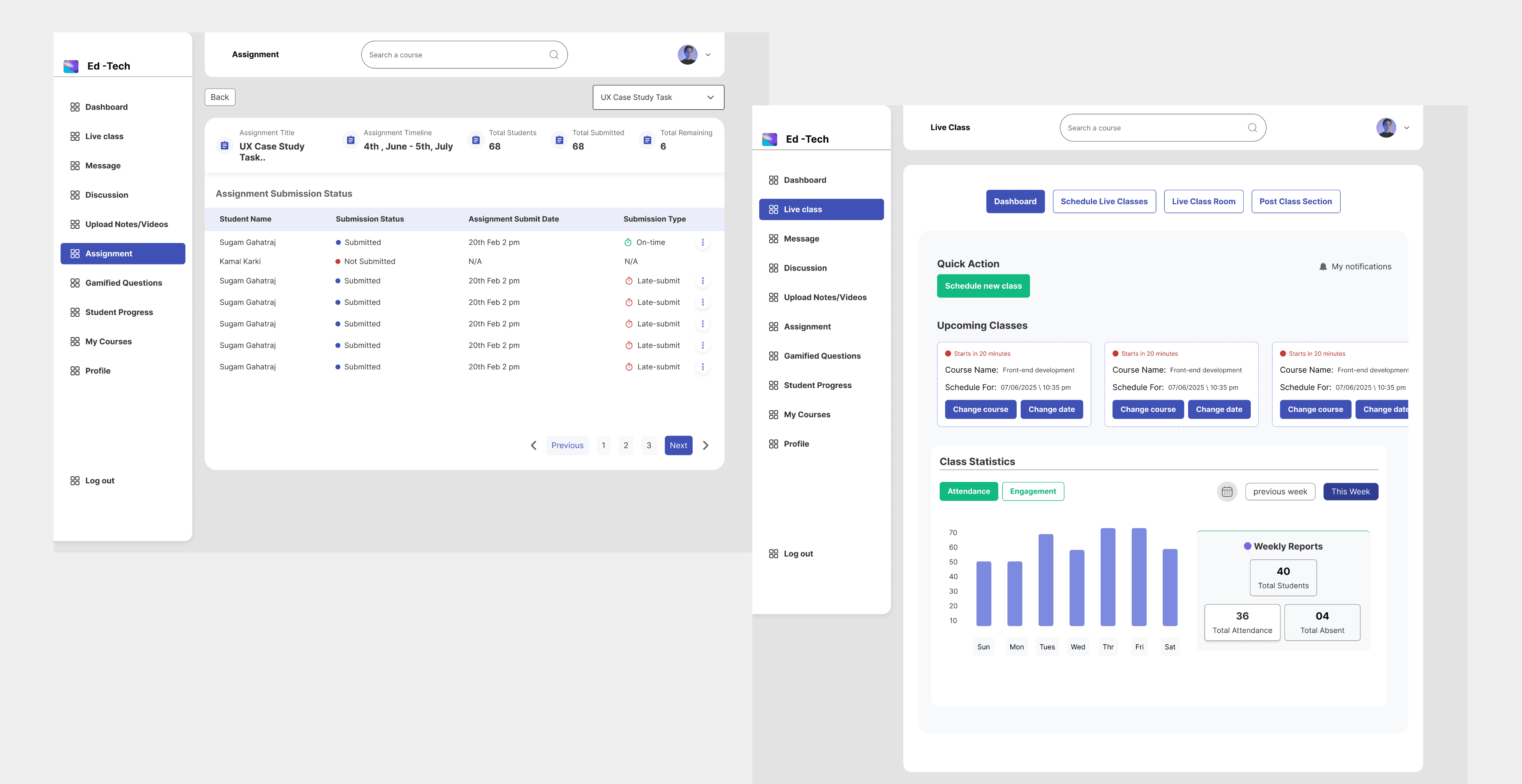
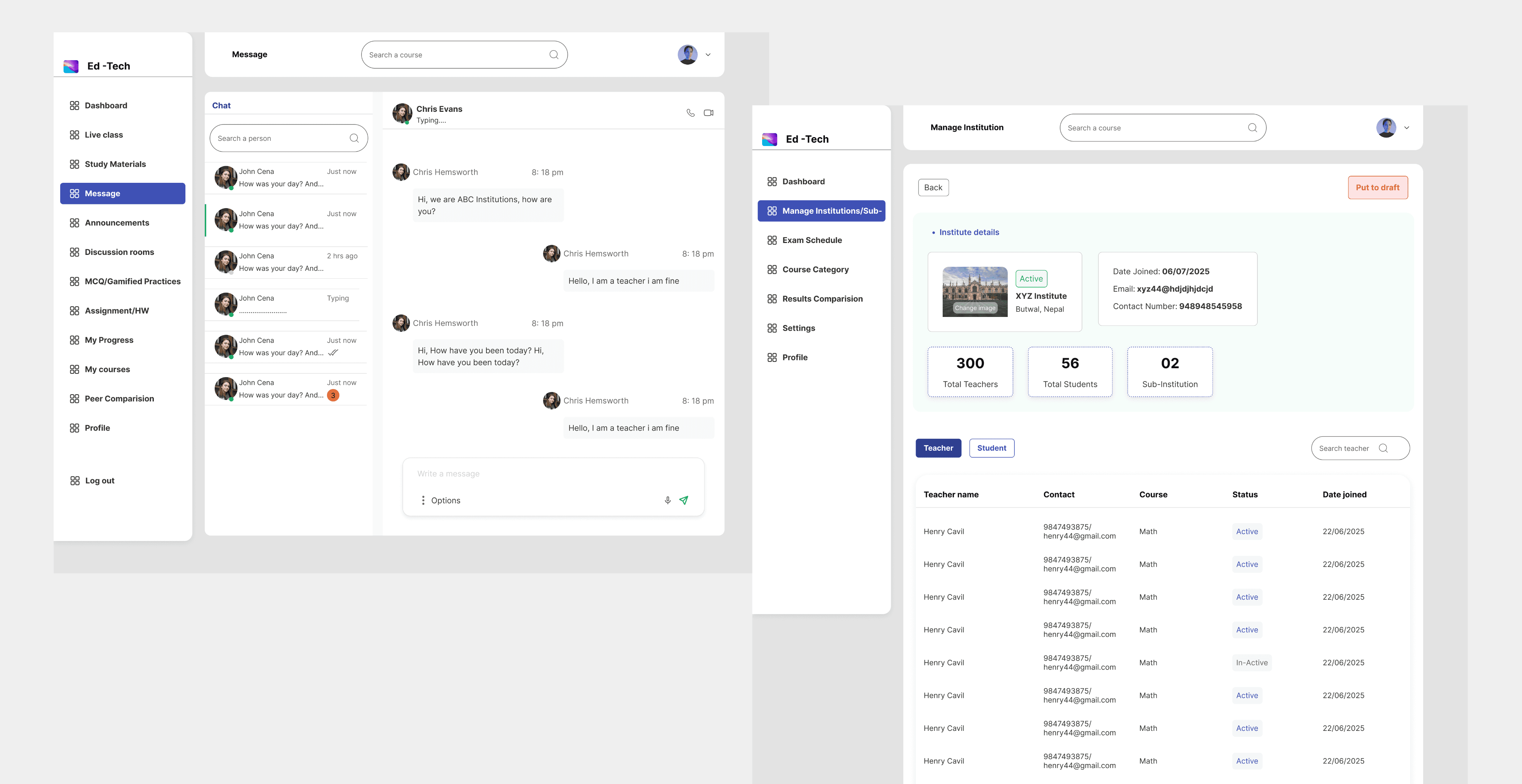
Deliver an exceptional learning experience for all students, ensuring the product works perfectly on all devices (mobile-first).

Create a product that is simple, visually appealing, and scalable, aligning the design with business goals to drive product adoption.

Achieve strong client approval by creating innovative, efficient, and user-friendly functionality that stands out from competitors.

04.

Research and Findings :

I started with deep research to understand the product's size and carefully separated the features needed for each type of user.

I did deep research to clearly separate what the four different user types needed the platform to do.

I looked at other successful designs to find the best ways to build a complex learning system for many users.

This research helped me immediately plan the main features and screens needed for every user role.

03.

The Objectives :

The primary goals were to deliver an outstanding learning experience, meet the client’s high standards, and design a system that would grow the business.

02.

The Problem :

The core challenge was taking a wide set of advanced, complex features and combining them into a user journey that was engaging and smooth, especially for the students.

How to make complex, multi-user features simple and intuitive?

How to integrate many features, from login to payments, while staying simple and efficient?

How to balance rich functionality with visual harmony and accessibility as a solo designer?

01.

Project Overview :

EduTech is a modern, all-in-one LMS(Ed-tech Platform) that streamlines teaching, learning, and management into one simple, connected platform. Designed for both mobile and desktop, it delivers live classes, assessments, payments, communication tools, and progress tracking through a smooth, intuitive experience built for the entire education ecosystem.

  • It handles many complex tasks, including live classes, payment systems, and exam management.

  • The product supports four main user types: Students, Teachers, Admins, and Institutions.

  • The scope was the full end-to-end design for the product platform across web and mobile, and its supporting website.

Phase 2

07 Design & Usability Testing

08 Project Impact & Business Potential

09 Key Takeaways & Conclusion & Learnings

Phase 1

04 Research & Findings

05 Mapping Solutions and Journeys

06 Wireframing & Testing

Base

01 Project Overview

02 Problems

03 Objectives

Project Outline

EduTech

EduTech

EduTech

— A Unified Learning Ecosystem Built for Every Role in Education

— A Unified Learning Ecosystem Built for Every Role in Education

— A Unified Learning Ecosystem Built for Every Role in Education

Seamless journeys, connected workflows, and a mobile-first experience that empowers teaching, learning, and management on a single platform.

Seamless journeys, connected workflows, and a mobile-first experience that empowers teaching, learning, and management on a single platform.

Seamless journeys, connected workflows, and a mobile-first experience that empowers teaching, learning, and management on a single platform.

SUGAM (UX/UI Designer)

SUGAM (UX/UI Designer)

SUGAM (UX/UI Designer)

Project Outline

Project Outline

Base

Base

01 Project Overview

01 Project Overview

02 Problems

02 Problems

03 Objectives

03 Objectives

Phase 1

Phase 1

04 Research & Findings

04 Research & Findings

05 Mapping Solutions and Journeys

05 Mapping Solutions and Journeys

06 Wireframing & Testing

06 Wireframing & Testing

Phase 2

Phase 2

07 Design & Usability Testing

07 Design & Usability Testing

08 Project Impact & Business Potential

08 Project Impact & Business Potential

09 Key Takeaways & Conclusion & Learnings

09 Key Takeaways & Conclusion & Learnings

01.

01.

Project Overview :

Project Overview :

EduTech is a modern, all-in-one LMS(Ed-tech Platform) that streamlines teaching, learning, and management into one simple, connected platform. Designed for both mobile and desktop, it delivers live classes, assessments, payments, communication tools, and progress tracking through a smooth, intuitive experience built for the entire education ecosystem.

  • It handles many complex tasks, including live classes, payment systems, and exam management.

  • The product supports four main user types: Students, Teachers, Admins, and Institutions.

  • The scope was the full end-to-end design for the product platform across web and mobile, and its supporting website.

02.

02.

The Problem :

The Problem :

The core challenge was taking a wide set of advanced, complex features and combining them into a user journey that was engaging and smooth, especially for the students.

How to make complex, multi-user features simple and intuitive?

How to make complex, multi-user features simple and intuitive?

How to integrate many features, from login to payments, while staying simple and efficient?

How to integrate many features, from login to payments, while staying simple and efficient?

How to balance rich functionality with visual harmony and accessibility as a solo designer?

How to balance rich functionality with visual harmony and accessibility as a solo designer?

03.

03.

The Objectives :

The Objectives :

The primary goals were to deliver an outstanding learning experience, meet the client’s high standards, and design a system that would grow the business.

Deliver an exceptional learning experience for all students, ensuring the product works perfectly on all devices (mobile-first).

Create a product that is simple, visually appealing, and scalable, aligning the design with business goals to drive product adoption.

Achieve strong client approval by creating innovative, efficient, and user-friendly functionality that stands out from competitors.

Phase 1

Phase 1

Phase 1

04.

04.

Research and Findings :

Research and Findings :

I started with deep research to understand the product's size and carefully separated the features needed for each type of user.

I did deep research to clearly separate what the four different user types needed the platform to do.

I looked at other successful designs to find the best ways to build a complex learning system for many users.

This research helped me immediately plan the main features and screens needed for every user role.

05.

05.

Mapping Solutions and Journeys :

Mapping Solutions and Journeys :

I built the experience step-by-step, focusing first on how the student would learn, so i could check the core journey early on.
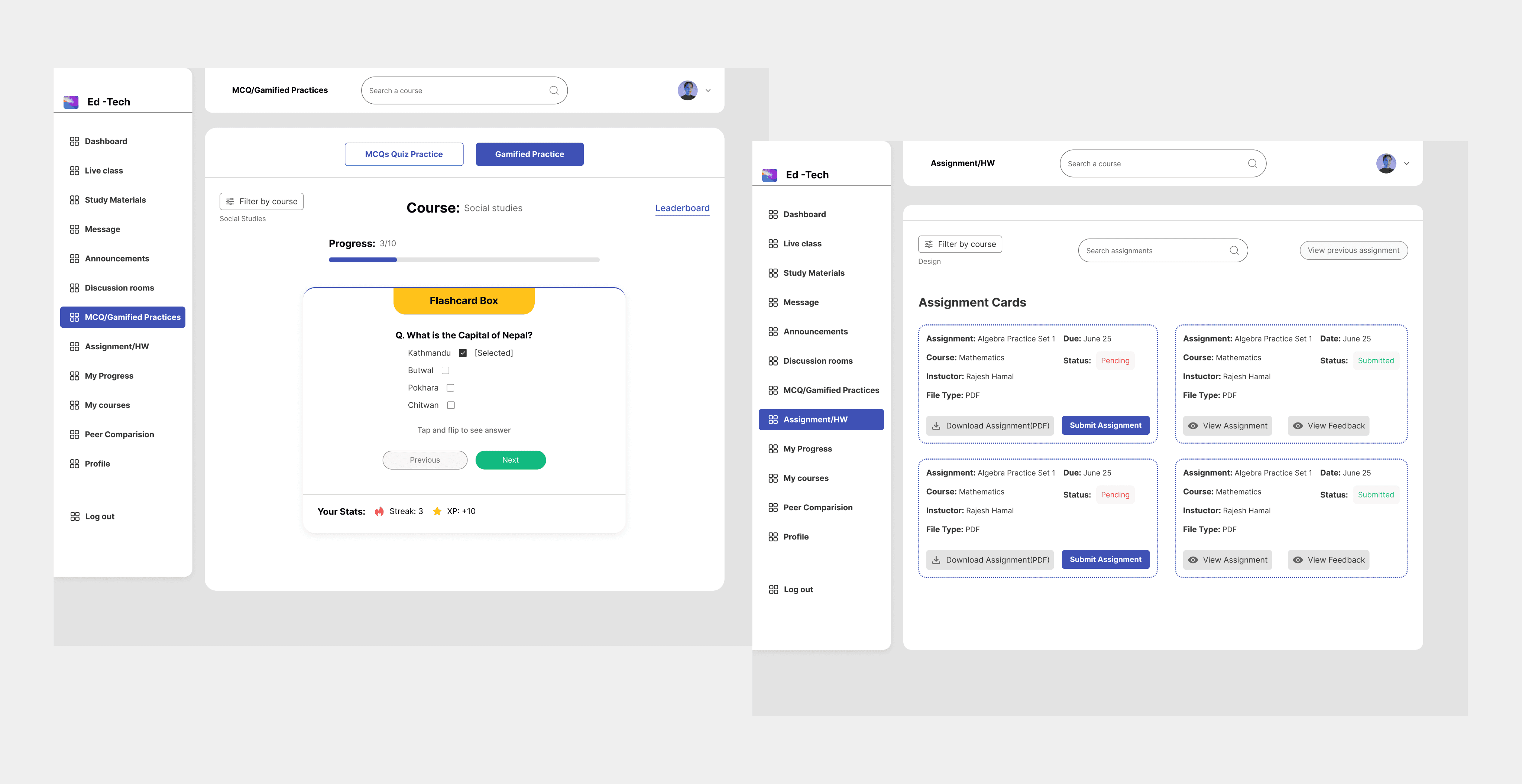
I made a simple content map (IA) so all users could find everything easily, no matter how complex the product was.

I drew user flows (steps users take) and created personas to make sure design decisions met real-world needs.

A key step was getting approvals one piece at a time (like student design first) to avoid big problems or confusion later.

05.

Mapping Solutions and Journeys :

I built the experience step-by-step, focusing first on how the student would learn, so i could check the core journey early on.
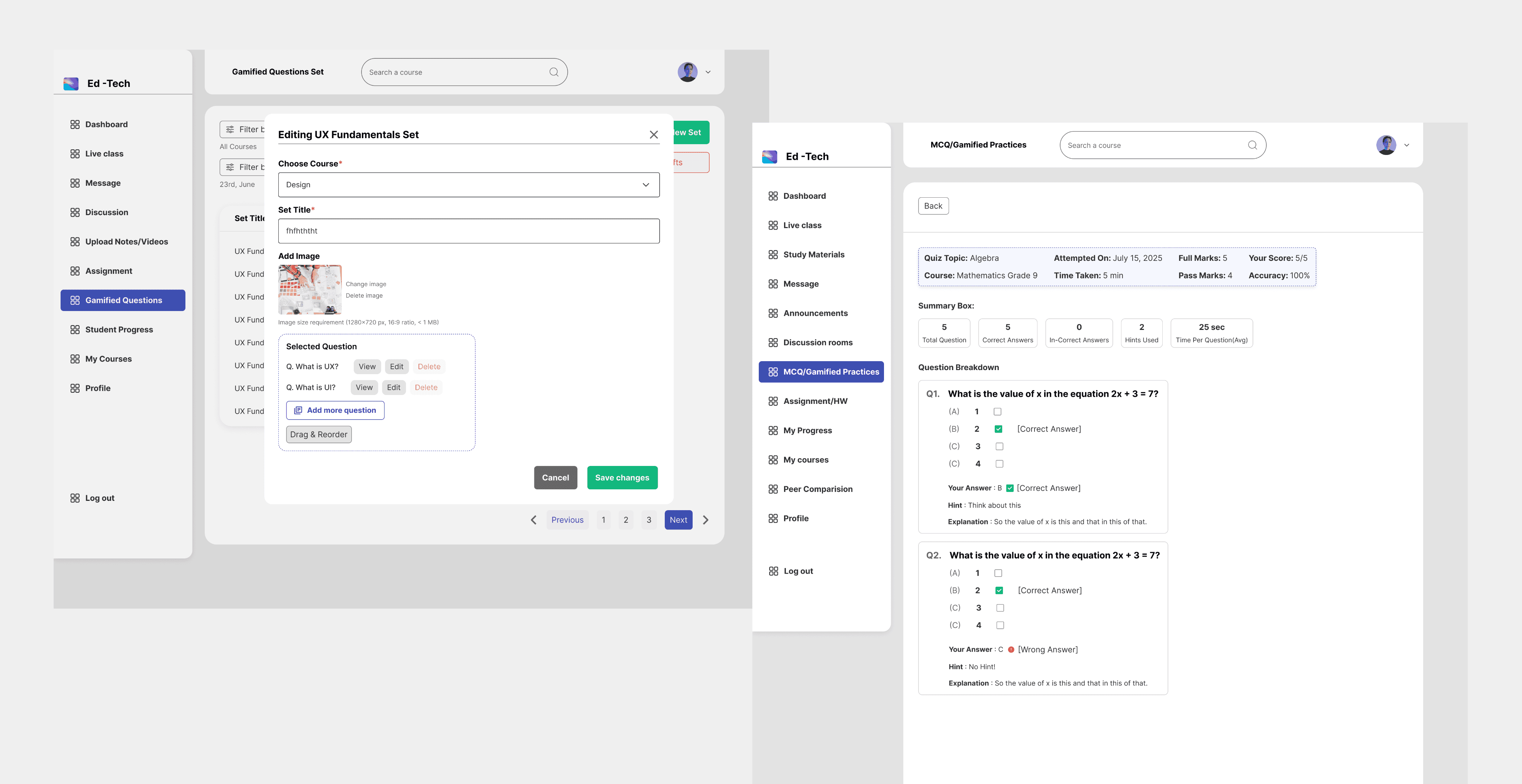
I made a simple content map (IA) so all users could find everything easily, no matter how complex the product was.

I drew user flows (steps users take) and created personas to make sure design decisions met real-world needs.

A key step was getting approvals one piece at a time (like student design first) to avoid big problems or confusion later.

06.

Wireframing and Testing

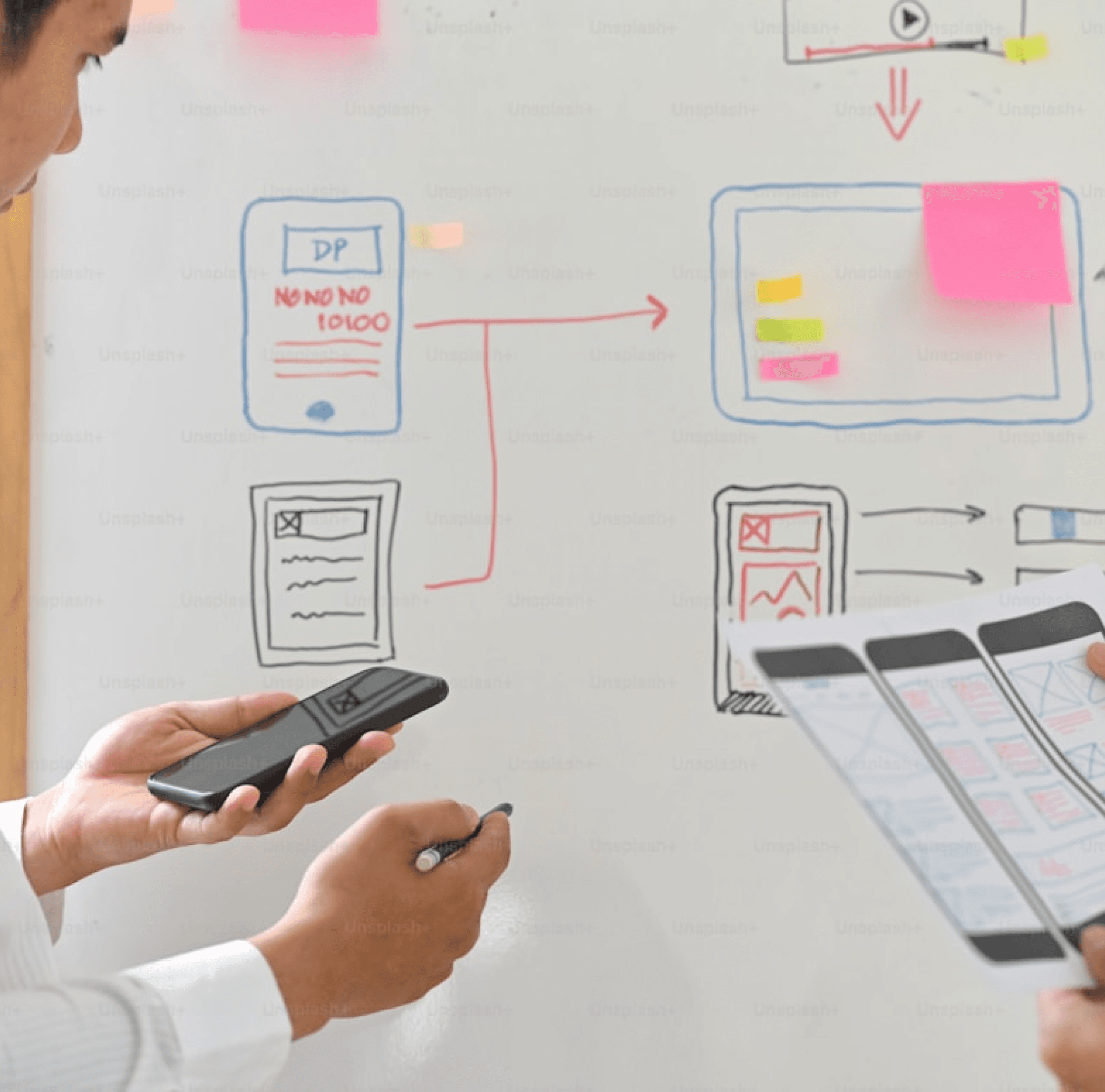
I checked our ideas often and early. I spent a lot of time testing the user experience (UX) to fix complex paths before adding any visual design (UI).

  • I tested the basic layouts (wireframes) and steps users would take to make sure the interactions worked correctly.

  • I focused heavily on making the complex parts of the product simple to use, so users would not feel confused or overwhelmed.

  • This phase gave me the final simple map (IA), user steps, and a client-approved plan for how the product would work.

06.

Wireframing and Testing

I checked our ideas often and early. I spent a lot of time testing the user experience (UX) to fix complex paths before adding any visual design (UI).

  • I tested the basic layouts (wireframes) and steps users would take to make sure the interactions worked correctly.

  • I focused heavily on making the complex parts of the product simple to use, so users would not feel confused or overwhelmed.

  • This phase gave me the final simple map (IA), user steps, and a client-approved plan for how the product would work.

06.

Wireframing and Testing

I checked our ideas often and early. I spent a lot of time testing the user experience (UX) to fix complex paths before adding any visual design (UI).

  • I tested the basic layouts (wireframes) and steps users would take to make sure the interactions worked correctly.

  • I focused heavily on making the complex parts of the product simple to use, so users would not feel confused or overwhelmed.

  • This phase gave me the final simple map (IA), user steps, and a client-approved plan for how the product would work.

Phase 2

Phase 2

Phase 2

07.

07.

07.

Design and Usability Testing

Design and Usability Testing

Design and Usability Testing

I made sure the product looked good, was easy for everyone to use (accessibility), and was consistent using a structured design guide.

  • I built a Scalable Design System (a design guide) to make sure the look and feel were exactly the same and worked well across all devices.

  • I successfully designed new, modern features like a simple Online Payment screen, login using a code (OTP), and live chat tools.

  • My final delivery included the complete UI design for the product, the marketing website, and working Interactive Prototypes that the client loved.

08.

08.

08.

Project Impact and Business Potential

Project Impact and Business Potential

Project Impact and Business Potential

The final design made the client happy and brought real value to the business by making things faster, safer, and more fun for users.

  • The design makes work flows faster for Admins, Teachers, and Institutions and helps more people sign up because it's so easy to start.

  • I made learning more fun using game-like features (gamification) such as quizzes, ranks/leaderboards, and easy progress tracking to keep students coming back.

  • The product is safer with login codes (OTP) and is easy to use everywhere because it was built to work best on mobile phones first.

09.

09.

09.

Key Takeaways and Conclusion and Learning

Key Takeaways and Conclusion and Learning

Key Takeaways and Conclusion and Learning

This project taught me a lot. It showed how important good planning and clear talking with the client are when designing something complex.

  • The step-by-step approval method proved essential for keeping the project clear, working well with the client, and keeping them happy.

  • I strongly improved my skills in handling complex systems, making sure features work while also making them look visually great and easy for everyone to use.

  • The main lesson: understanding what each user needs and feels, supported by research and good client talk, is the key to delivering a great final product.
Create a free website with Framer, the website builder loved by startups, designers and agencies.